Quantity surveyors
Review claims and changes from the same record
Palydin helps quantity surveyors review progress, claims, variations, assessments, retention, documents, and audit history without jumping between spreadsheets and folders.
Roles
The number is only useful if the basis is easy to check
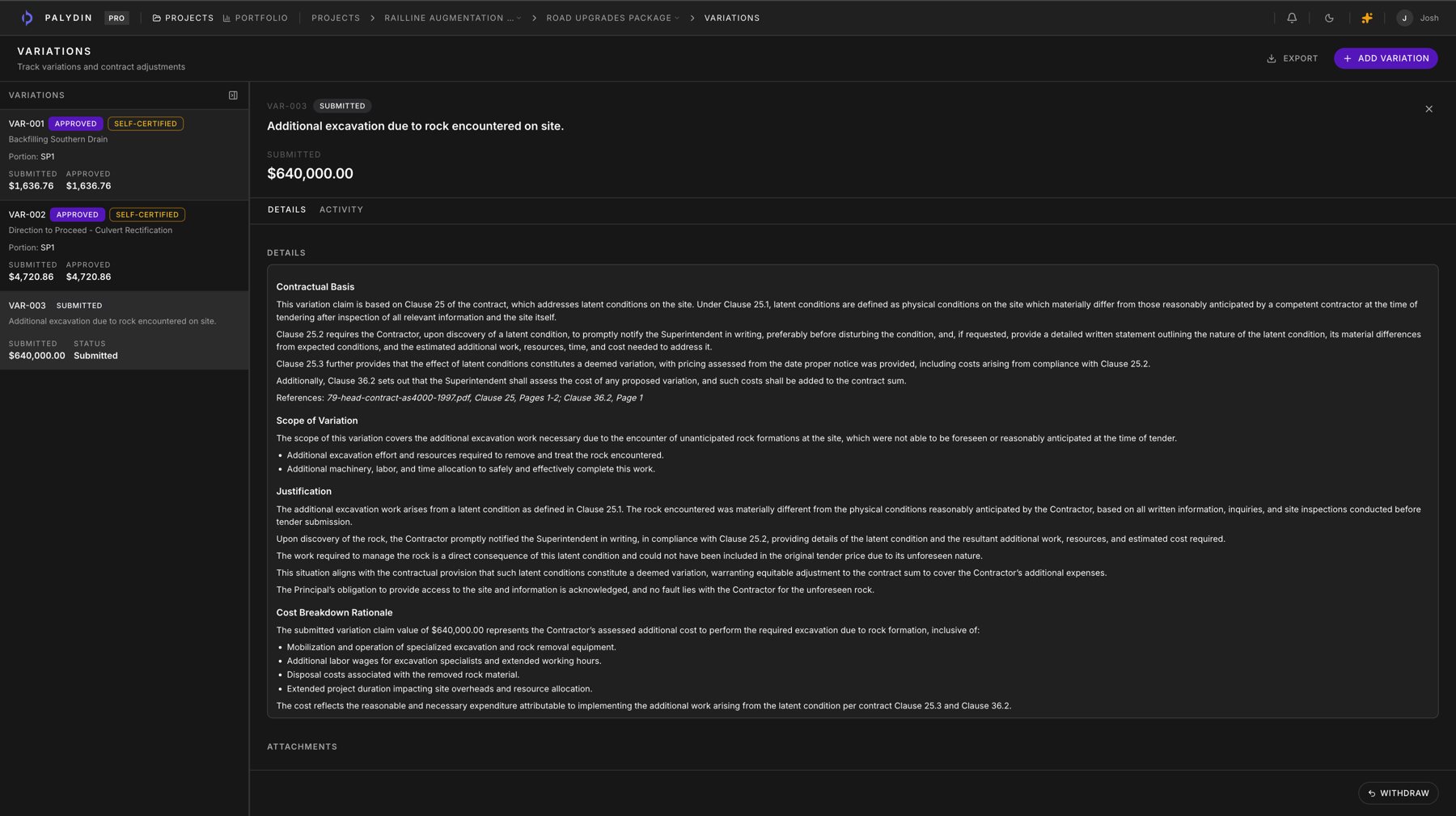
Quantity surveyors need to understand what changed, what was claimed, what was assessed, and why. Palydin keeps those records connected.
- Review progress claims with prior assessments and support.
- Connect variations to scope, claim impact, and assessment reasons.
- Track retention and audit history beside the commercial position.
How Palydin handles it
A workflow for the full commercial day.
Progress
Review claim values
Check current progress against prior claims, assessed amounts, and contract scope.
Change
Open the variation trail
Review scope change, cost support, claim status, and assessment reasons.
Record
Keep the decision visible
Preserve assessment history, documents, reasons, and audit activity.
The repeat tasks Palydin keeps together.
- 01
Check claimed progress and claim-to-date values.
- 02
Review submitted, approved, and rejected variation amounts.
- 03
Confirm retention deductions and release status.
- 04
Trace assessment reasons and supporting documents.
What gets easier when the record is clean.
- Faster review of claim and variation basis.
- Less duplicate checking across spreadsheets.
- Clearer support for assessment decisions.
Follow the work behind the role.
FAQ
Direct answers for search visitors.
Verify the workflow before you talk to sales.
Start the Pro trial, load one contract, draft a real workflow, and decide from the product surface.