Commercial managers
See the commercial position without rebuilding it
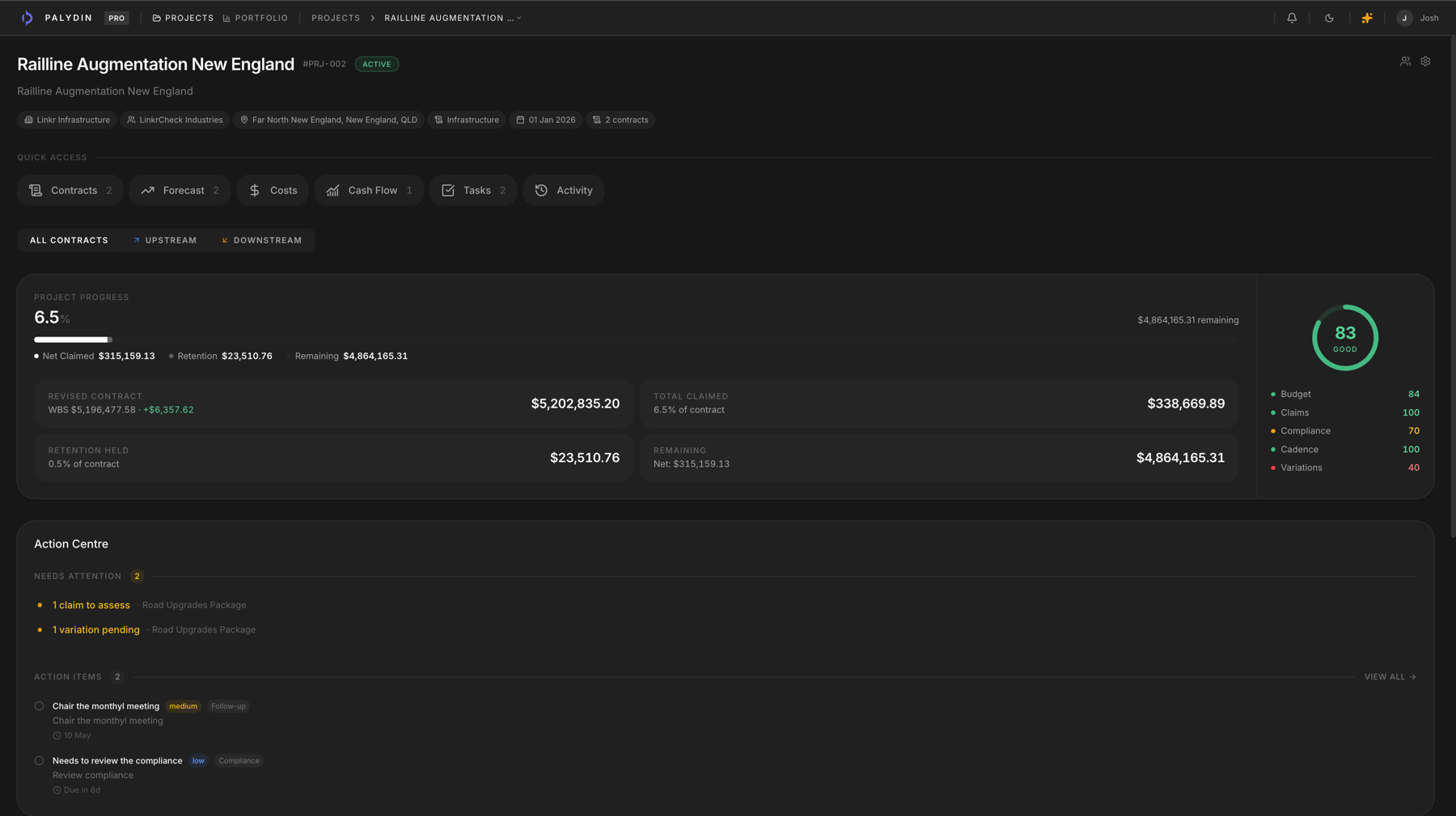
Palydin gives commercial managers one place to review claim status, variation exposure, retention, compliance, documents, and project-level health.
Roles
The risk is usually hidden in disconnected records
Commercial managers need to see what is claimed, assessed, pending, rejected, retained, and unsupported. Palydin keeps the underlying records closer to the summary.
- Review claim status and assessment gaps across contracts.
- Track variation exposure and retention position.
- Use audit history and documents to understand how the position moved.
How Palydin handles it
A workflow for the full commercial day.
Review
Start from portfolio or project status
See health, claims, actions, and open commercial issues across the work.
Drill in
Open the contract behind the number
Review claim periods, variations, retention, documents, and assessment history.
Act
Focus the team on the gaps
Use the connected record to resolve missing support, open decisions, and claim blockers.
The repeat tasks Palydin keeps together.
- 01
Review monthly claim readiness.
- 02
Check variation exposure and assessment status.
- 03
Monitor retention and release position.
- 04
Spot contracts with missing support or overdue actions.
What gets easier when the record is clean.
- Less dependency on manual commercial packs.
- Earlier visibility of claim and variation issues.
- Clearer records for internal and counterparty review.
Follow the work behind the role.
FAQ
Direct answers for search visitors.
Verify the workflow before you talk to sales.
Start the Pro trial, load one contract, draft a real workflow, and decide from the product surface.