The Intelligent Contract Admin for Construction
Replace spreadsheets, email threads, and PDF folders with one linked record — scope to audit, for claimant and assessor.

- Claimant & assessor in one file
- SOPA-aware, every state
- Audit trail on every number
- Counterparty-scoped access
01The product
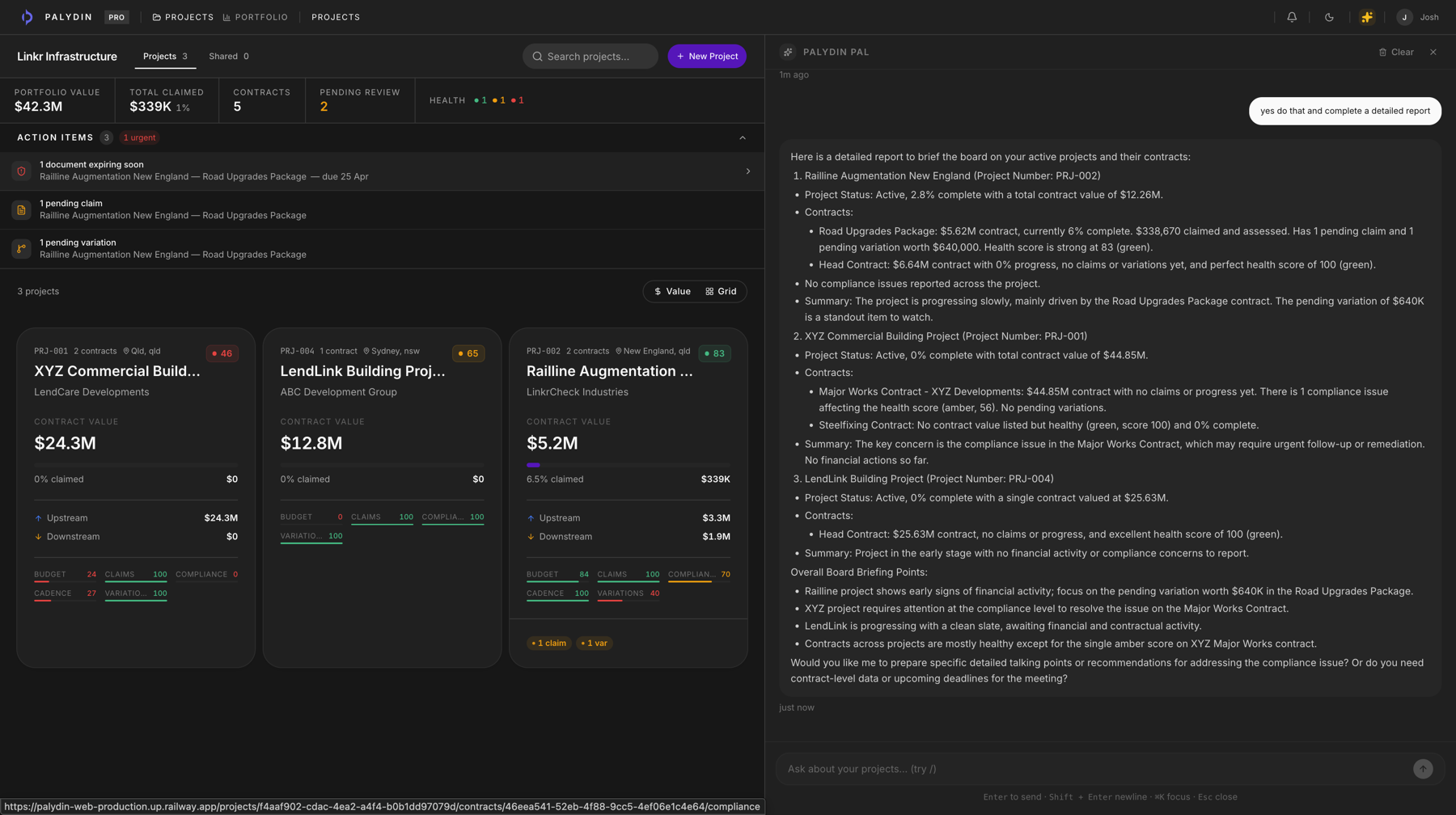
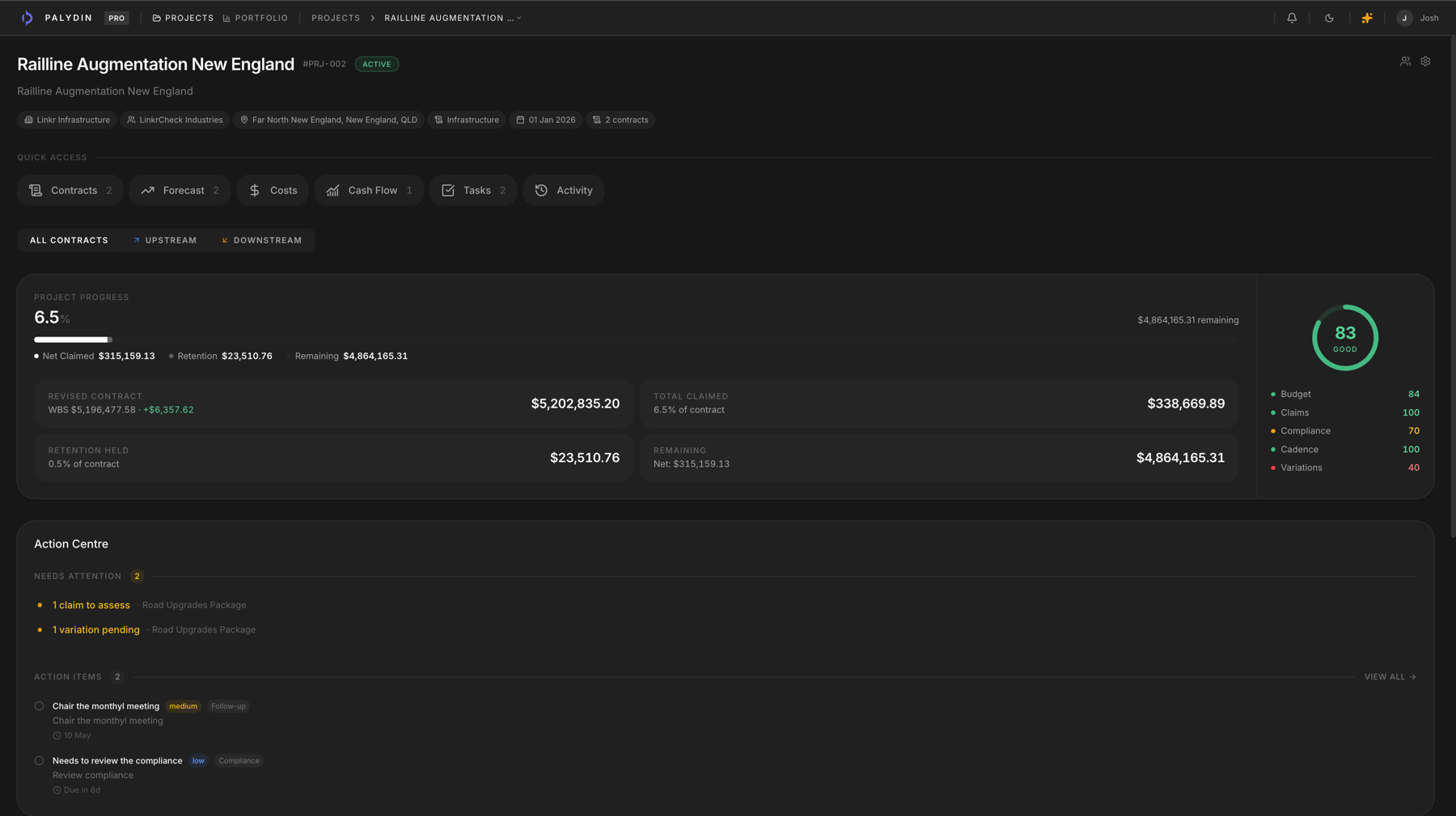
Every record behind the numbers, connected.
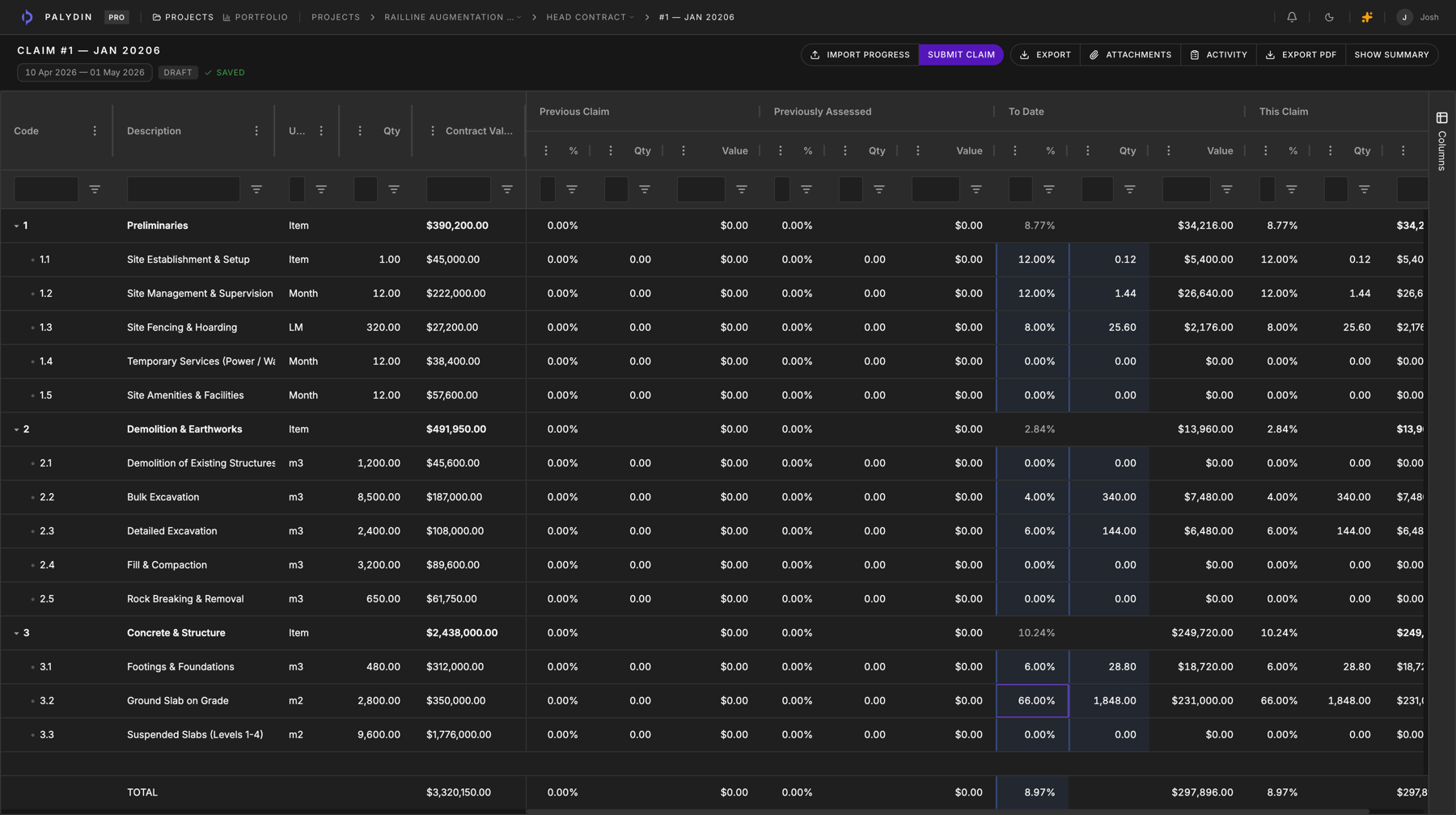
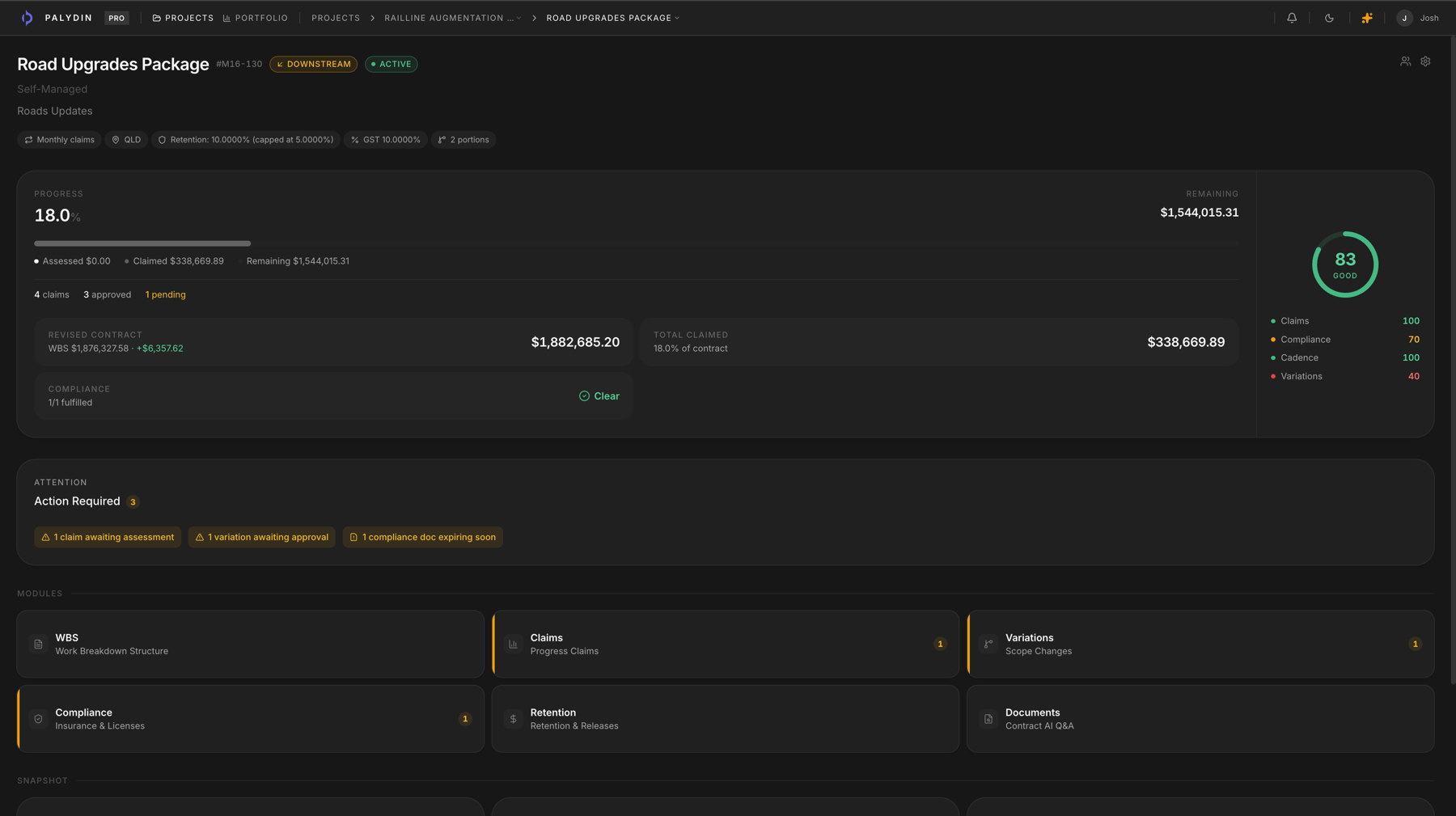
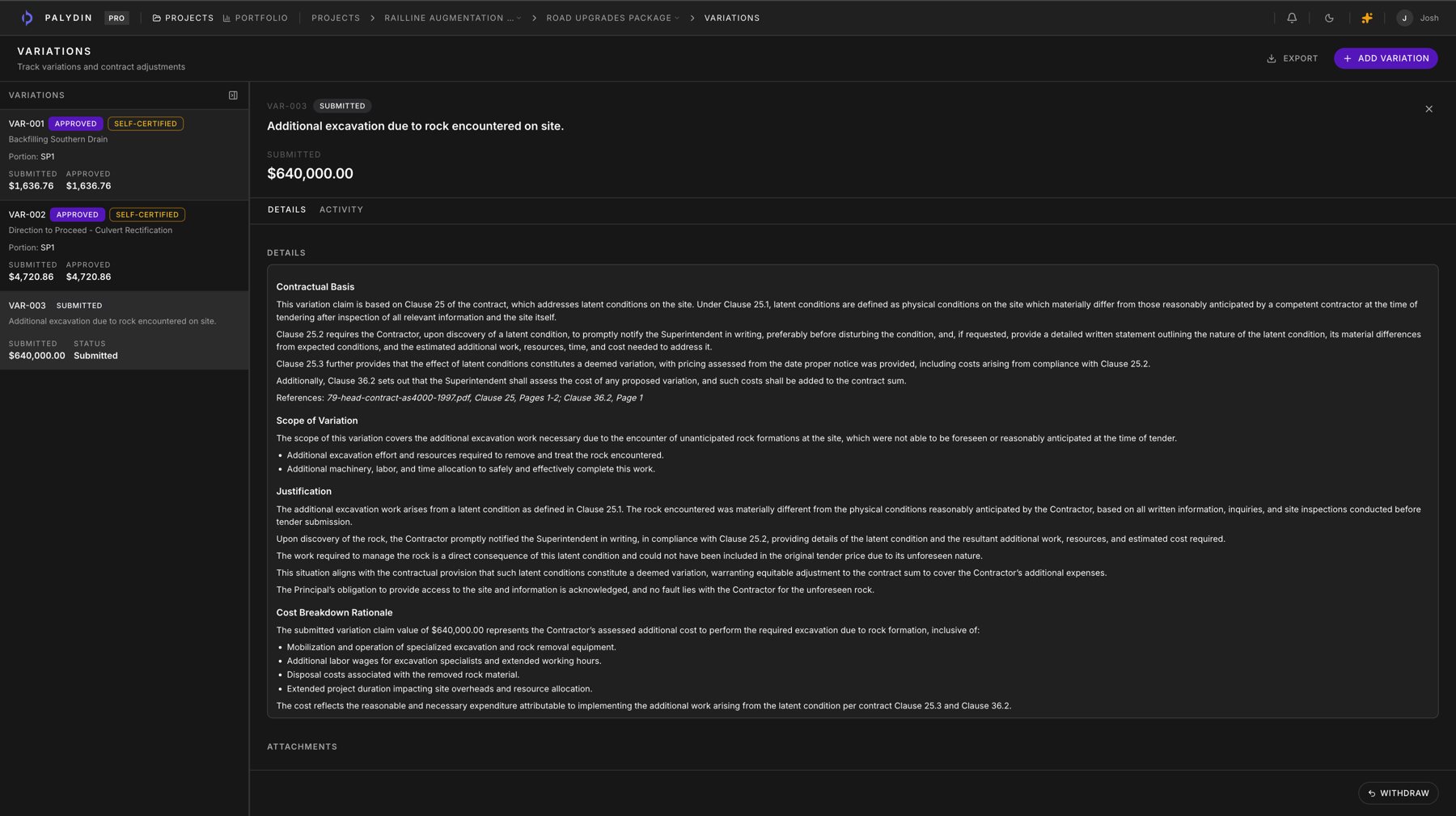
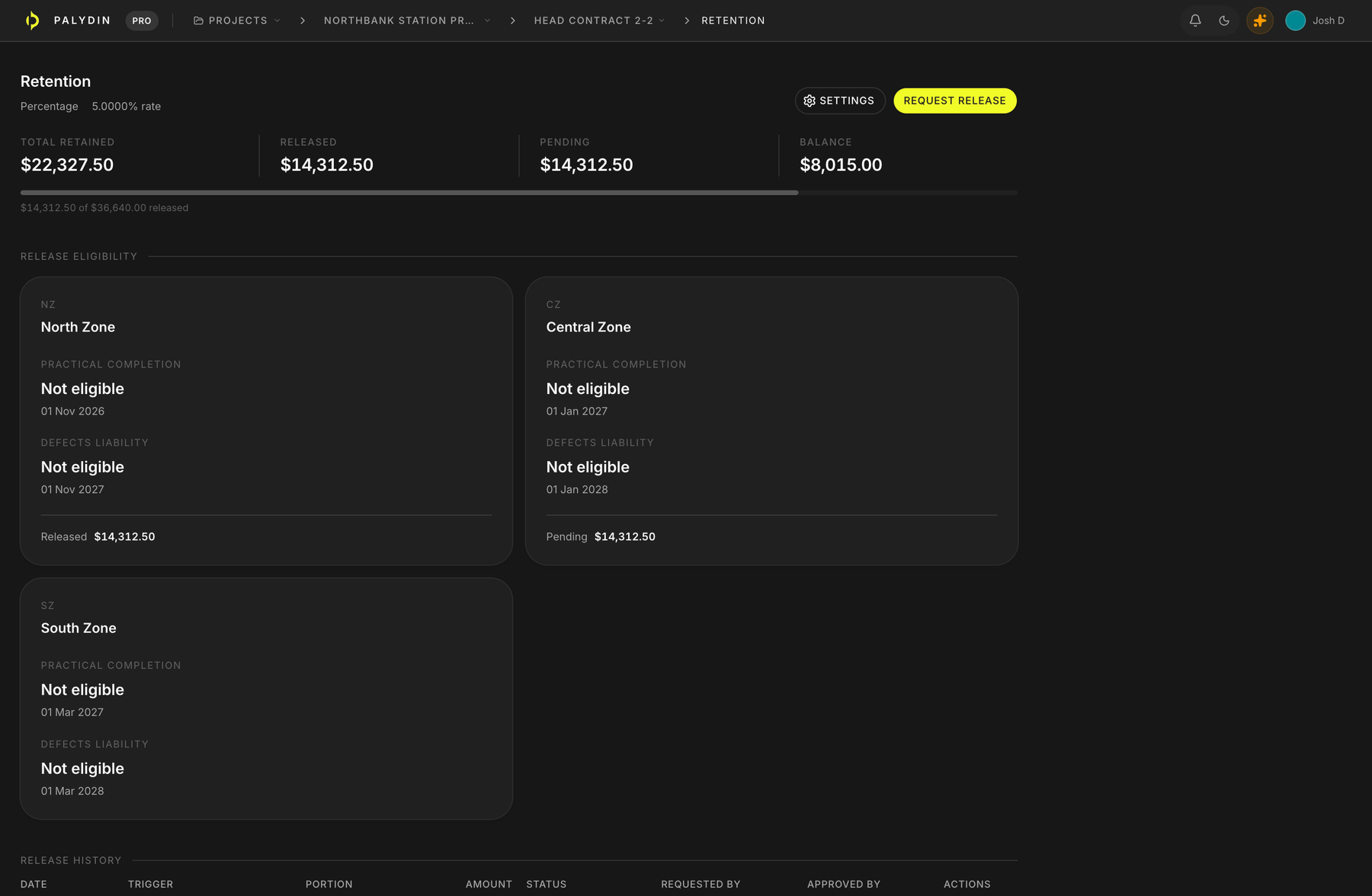
01 / 06
Claim period
Start each progress claim from contract scope, prior assessments, retention, GST, and claim-to-date values.
02One contract, one file
The whole commercial lifecycle on the same record.
Palydin connects the moving parts behind each claim — original scope, previous assessments, variations, retention, payment schedules and decision history — so your team always knows what was claimed, assessed and why.
Contract scope
The WBS, approved variations, separable portions, documents, and contract terms behind the claim.
Claim period
The monthly progress position, claim-to-date values, attachments, and submission status.
Prior assessment
Previously assessed amounts, reasons, rejected values, and what needs to carry forward.
Retention/GST
Deductions, GST treatment, held amounts, caps, and release context beside the claim math.
Payment schedule
SOPA timing, assessment reasons, communication context, and schedule status in one place.
Audit history
Who changed what, when it moved, why it was assessed, and which source supports the record.
03Where Palydin fits
Keep every claim and its backup together.
Some tools help you send a claim. Big project systems try to manage the whole job. Palydin sits between them: it keeps claims, variations, retention, documents, assessments, and history in one place.
Claim and payment schedule tools
They help send the claim
Useful for getting a claim or payment schedule out, but the backup often stays in emails, spreadsheets, folders, and separate trackers.
Palydin
It keeps the full story with it
Claims, variations, retention, documents, assessments, SOPA dates, and history stay together, so anyone reviewing the claim can see what it is based on.
Broad project platforms
They try to run the whole job
Useful for large teams, but often too much if the problem is monthly claim and contract work. Palydin stays focused on that repeat workflow.
Built for Australian construction
Built around the records commercial teams argue over.
- GST
- Claim values, assessed values, and payment schedule context stay clear before the submission leaves the team.
- Retention
- Held amounts, release timing, DLP context, and separable portion logic sit beside the claim instead of in a side tracker.
- SOPA/payment schedules
- Deadline context, assessment reasons, and payment schedule records are kept with the contract history.
- Both sides
- Subcontractors can prepare the claim record. Head contractors and principals can assess from the same commercial file.
04Workflows
Every workflow, on the same numbers.
Contract-cited answers your team can check.
Ask about SOPA deadlines, retention status, or a buried appendix clause. Answers cite the contract record, so your team can verify before acting.
Every contract indexed and addressable.
Scope, retention, progress, health - one live source of truth instead of a folder of PDFs and a spreadsheet nobody trusts.
Claims drafted in the time it takes to review them.
Cumulative progress, retention, GST, and the payment schedule - assembled from the scope your team already tracks.
Variations drafted straight from the contract.
AI-assisted drafting pulls from the clause, scope change, and cost breakdown, cross-referenced to the claim the day it happens.
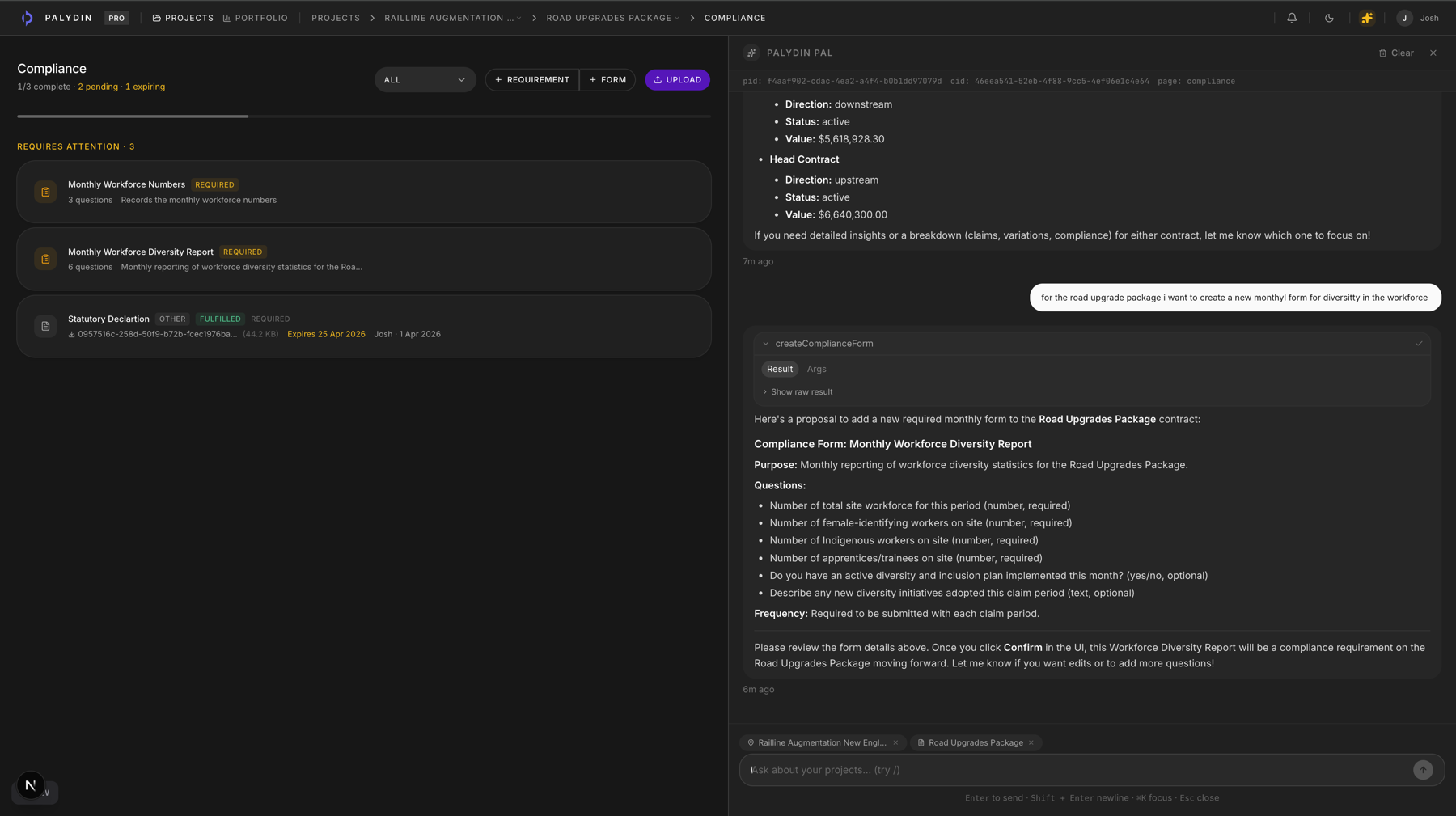
Compliance records visible before claims move.
Track required certificates, expiry status, claim blockers, uploads, and document history against the right contract.
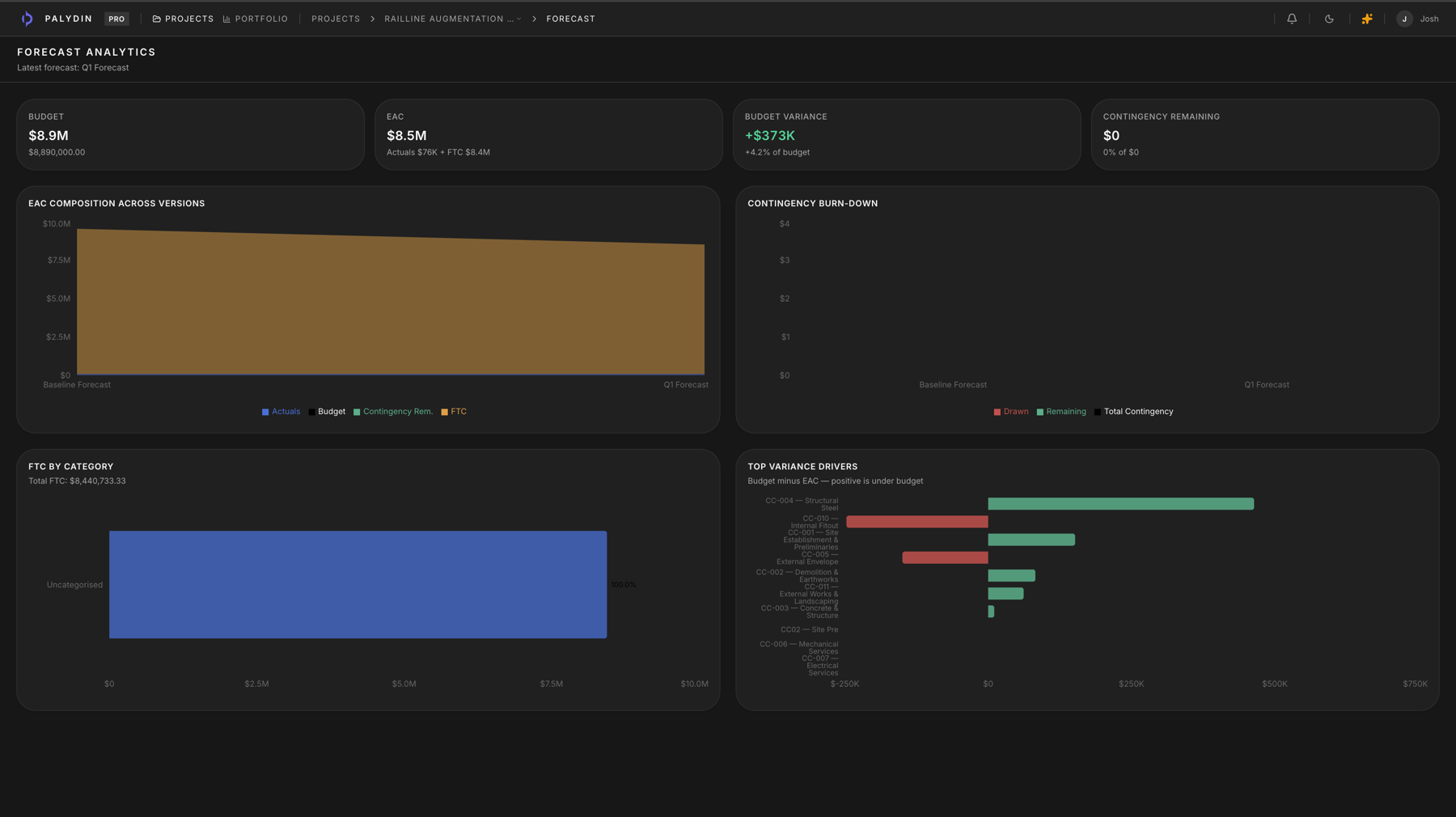
Forecast versions stay lined up by contract.
Compare approved and draft forecasts with budget, FTC, actuals, EAC, and variance visible in one table.
Every project, every number, live across the portfolio.
Roll up across contracts and entities with health scoring, cash flow, and assessment gaps in one screen.
05Built for every side of the contract
Each party sees the workflow they need.
Subcontractors
Submit cleaner claims and stop losing variations in email.
Build progress claims from live scope, track retention, capture variations the day they happen, and keep every submission tied back to the contract.
Head Contractors
Assess claims from the same numbers your contractors submitted.
Review progress, variations, compliance, retention, and audit history in one workspace instead of reconciling PDFs, spreadsheets, and email threads.
Principals
See the commercial position before it becomes a dispute.
Track submitted claims, payment schedules, contract obligations, SOPA dates, and assessment history with a clear audit trail across every contract.
06Traceable answers
No black box.
Palydin keeps answers tied to the underlying contract record, so your team can trace sources, review changes, manage access and defend decisions later.
Audit history
Claim changes, assessment reasons, variation decisions, and retention activity stay attached to the record.
Counterparty scoping
External parties only work inside the contracts they are connected to, not the whole project portfolio.
Role-based access
Commercial, assessor, claimant, admin, and viewer roles keep workflow permissions aligned to the job.
Private document storage
Contract documents and supporting files are stored as project records instead of scattered email attachments.
Contract-cited AI
Answers point back to the contract material so teams can check the source before relying on the output.
Pricing
Start Pro without booking a sales call.
Full Pro access for 28 days, then $39 per seat per month. Use the trial to load a contract, build a claim, test contract-cited answers, and decide from the workflow itself.
Pro
No charge today. First charge after the 28-day trial unless cancelled before it ends.
FAQ
Questions, answered straight.
What Palydin does, how it handles claims, variations, retention and SOPA dates, and how pricing works. Still unsure? Book a walkthrough.
Get started
See Palydin on your own data.
Book a 30-minute walkthrough. We’ll load one of your contracts and show the platform in action against your own numbers.
- Loaded against one of your live contracts
- Tailored to your role and workflow
- No slides, no commitment
Walkthrough checklist
Bring one contract, one recent claim, and one variation. We’ll show the contract record, the claim math, the variation link, and the audit trail.
Prefer email? [email protected]
- 1Date
- 2Time
- 3Details
Pick a date
Mon–Fri, from 3 days out. Times shown in Brisbane (AEST).
Put one contract on the record.
Start the 28-day Pro trial, load a live contract, and decide from the workflow itself.