Comparison
Palydin vs payment claim tools
Payment claim tools help submit a claim or issue a schedule. Palydin connects the claim to the contract record behind it: contract scope, claim period, prior assessment, retention, GST, variations, SOPA payment schedule context, documents, and audit history.
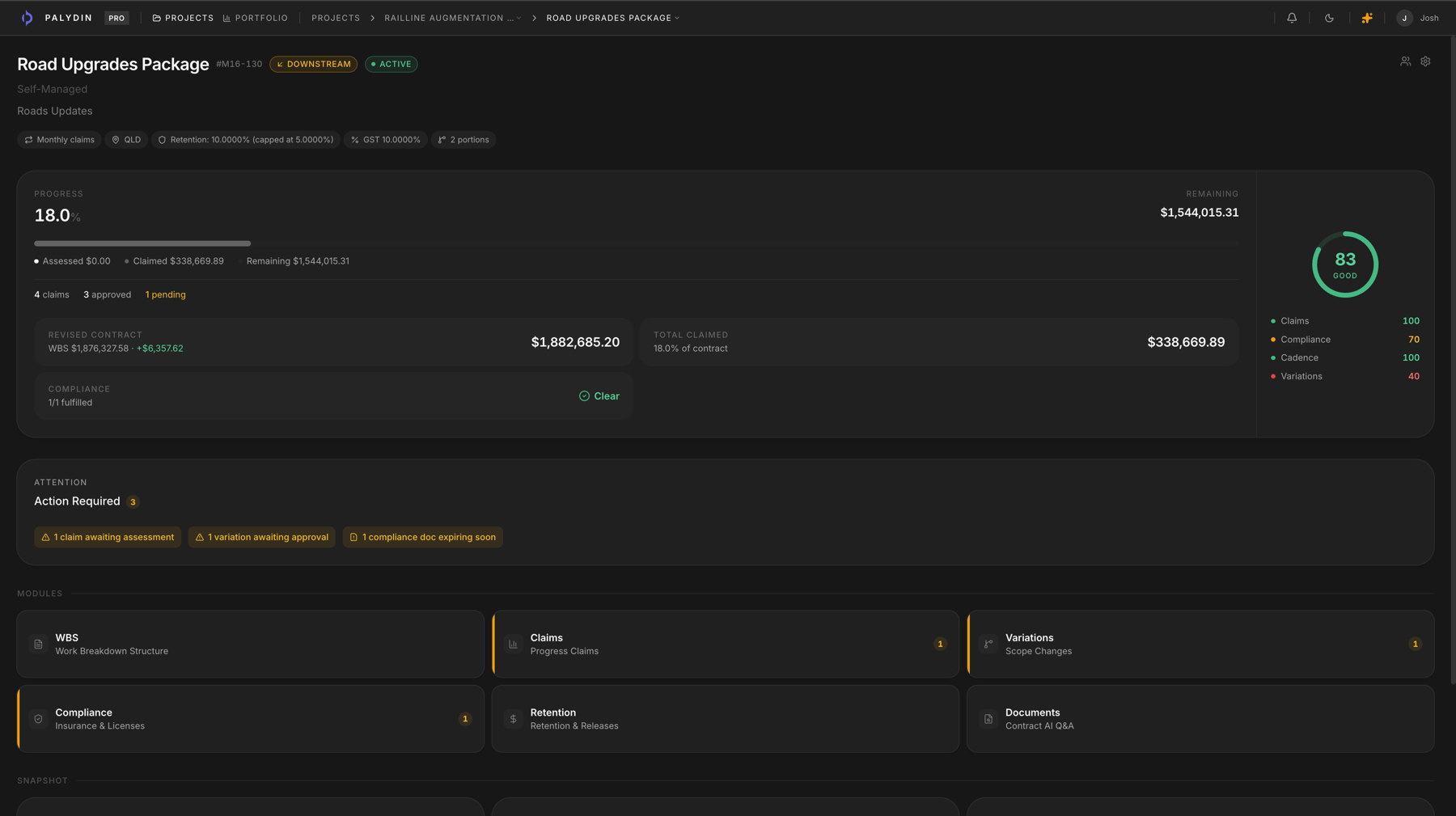
Comparison
Compare the workflow, not just the feature list.
| Workflow | Excel / claim-only tools | Palydin |
|---|---|---|
| Progress claims | Good at preparing and sending the claim artifact. | Connects the claim to contract scope, claim period, prior assessments, retention, GST, and history. |
| Variations | Often handled outside the claim tool or only shown as a value line. | Keeps variation background, costs, status, and claim impact connected. |
| Retention | Usually a calculation inside the claim, not a release workflow. | Tracks deductions, held amounts, portions, and release context. |
| SOPA dates | May show claim dates without the broader assessment record. | Keeps payment schedule timing beside claim context, assessment reasons, and audit history. |
| Contract documents | Normally separate from claim preparation. | Lets teams ask contract-cited questions against uploaded documents. |
| Audit history | Focused on submission status and claim events. | Covers claims, variations, retention, compliance, and contract decisions. |
| Both-side collaboration | Can still leave assessors rebuilding the context in another system. | Gives subcontractors, head contractors, and principals controlled access to the same contract record. |
The failure point is the record behind the claim.
- 01
Claim-only tools can make submission easier while leaving the contract basis somewhere else.
- 02
Variation status, retention position, and compliance context still need separate checking.
- 03
The assessor needs more than the claim total: they need the record behind the claim.
Payment claim tools stop at the claim
Some tools help you send a claim. Big project systems try to manage the whole job. Palydin sits between them: it keeps claims, claim periods, prior assessments, variations, retention, GST, compliance, SOPA payment schedule context, documents, and audit history in one place.
Built for Australian construction
Built around the records commercial teams argue over.
Palydin uses Australian construction language in the product: progress claims, retention, GST, payment schedules, and the claimant/assessor relationship between subcontractors, head contractors, and principals.
- Progress claims
- Claim periods, claimed-to-date values, prior assessments, supporting documents, and submitted status stay together.
- GST and retention
- Keep GST, retention deductions, held amounts, and release context visible inside the claim workflow.
- SOPA/payment schedules
- Track payment schedule context beside the claim, assessment reasons, contract terms, and audit history.
- Both sides of the contract
- Subcontractors can prepare the record. Head contractors and principals can assess from the same file.
- Audit trail
- Claim changes, assessment reasons, variation decisions, and retention activity stay attached to the record.
- Access controls
- Role-based permissions keep claimant, assessor, admin, commercial, and viewer workflows separated.
- Counterparty scoping
- External parties only work inside the contracts they are connected to, not the whole project portfolio.
- Contract-cited AI
- Answers point back to contract material so teams can check the source before acting.
FAQ
Direct answers for search visitors.
Verify the workflow before you talk to sales.
Start the Pro trial, load one contract, draft a real workflow, and decide from the product surface.