Variations
Construction variation management software that keeps scope changes connected
Palydin helps teams capture, draft, review, assess, and audit variations against the contract record. Scope changes stay connected to clauses, cost breakdowns, claims, and the history behind each decision.
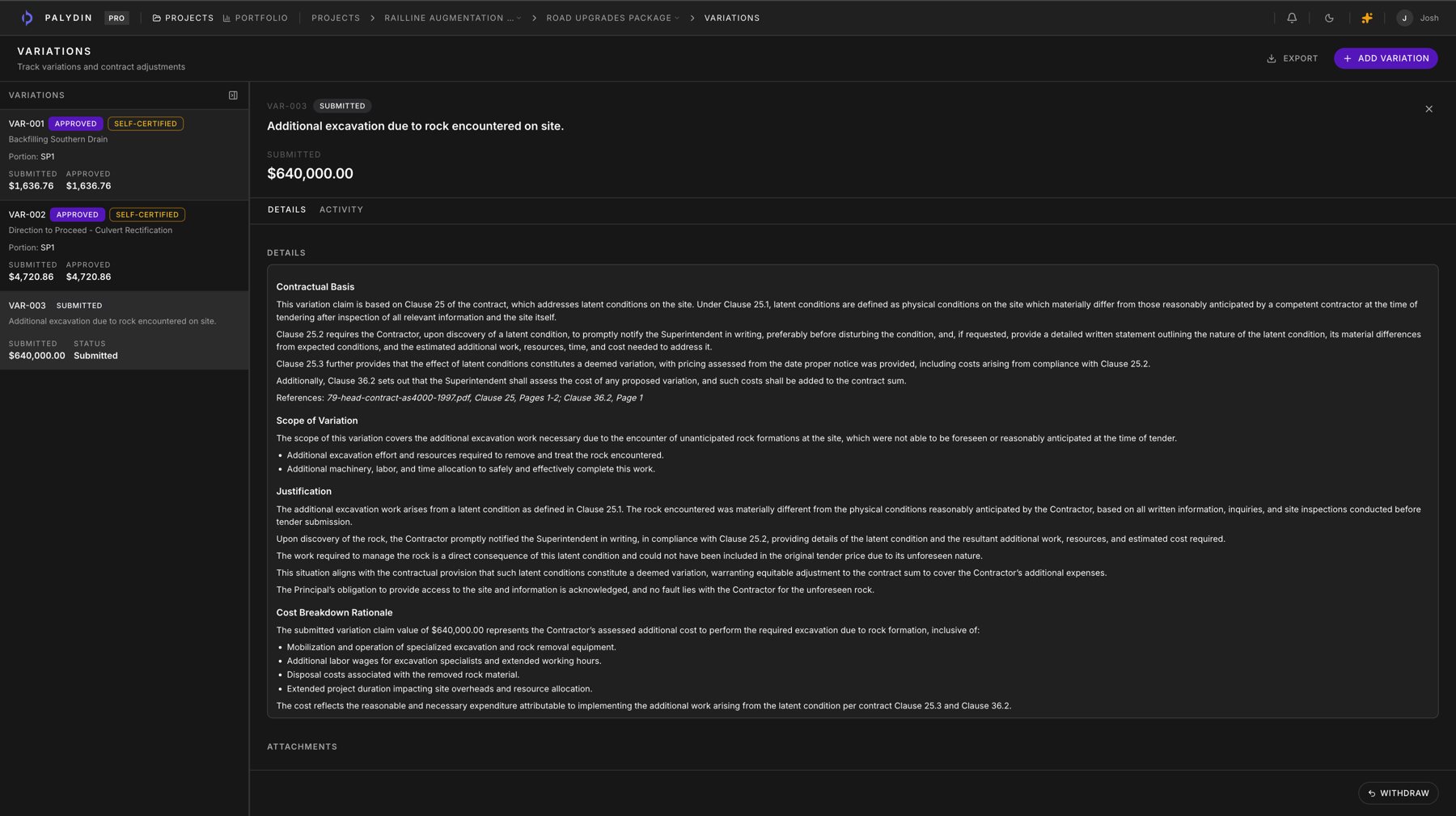
The old process hides the facts in the gaps.
Separate files, separate assessments, and no reliable shared record.
- 01
Scope change starts in site email or a meeting note.
- 02
Cost support sits in a folder separate from the notice.
- 03
Contract clause references are checked late or copied by hand.
- 04
Approved, pending, and submitted values drift from the claim position.
- 05
Assessment reasons disappear into comments or old attachments.
How Palydin handles it
A workflow for the full commercial day.
Step 01
Record the variation event
Capture changed scope, contractual background, cost support, and the party raising the variation.
Step 02
Tie it to contract scope
Keep the variation connected to clauses, documents, separable portions, and the original scope position.
Step 03
Carry the value into claims
Keep submitted, assessed, approved, and pending variation values visible beside progress claims.
Step 04
Assess with reasons
Record head contractor or principal assessment decisions, revisions, reasons, and audit history against the same file.
Every step stays attached to the same record:
Useful from either side of the contract.
Subcontractors
Capture scope changes early and keep the cost, clause, and claim position connected.
Head contractors
Assess variation submissions with the contract basis and revision history in view.
Principals
See pending and approved variation exposure before it becomes a claim surprise.
Built for Australian construction
Built around the records commercial teams argue over.
Palydin uses Australian construction language in the product: progress claims, retention, GST, payment schedules, and the claimant/assessor relationship between subcontractors, head contractors, and principals.
- Progress claims
- Claim periods, claimed-to-date values, prior assessments, supporting documents, and submitted status stay together.
- GST and retention
- Keep GST, retention deductions, held amounts, and release context visible inside the claim workflow.
- SOPA/payment schedules
- Track payment schedule context beside the claim, assessment reasons, contract terms, and audit history.
- Both sides of the contract
- Subcontractors can prepare the record. Head contractors and principals can assess from the same file.
- Audit trail
- Claim changes, assessment reasons, variation decisions, and retention activity stay attached to the record.
- Access controls
- Role-based permissions keep claimant, assessor, admin, commercial, and viewer workflows separated.
- Counterparty scoping
- External parties only work inside the contracts they are connected to, not the whole project portfolio.
- Contract-cited AI
- Answers point back to contract material so teams can check the source before acting.
FAQ
Direct answers for search visitors.
Verify the workflow before you talk to sales.
Start the Pro trial, load one contract, draft a real workflow, and decide from the product surface.